Design a calendar UI similar to Google Calendar.
Core requirements:
- Show calendar views (Day / Week / Month)
- Display events in correct time slots
- Create, edit, delete events
- Drag and resize events
- Handle overlapping events
Follow-ups:
- How do you manage time slots efficiently?
- How do you handle overlapping events visually?
- How do you store and fetch events?
- How do you optimize rendering for large data?
- How do you handle timezone differences?
How to Think About It (Framework)
- UI Layer
- Data Model
- State Management
- Event Positioning Logic
- Interaction Handling
- Performance
- Edge Cases
UI Layer
Main components:
- Calendar grid (time slots)
- Event blocks
- Header (dates, navigation)
- Sidebar (optional)
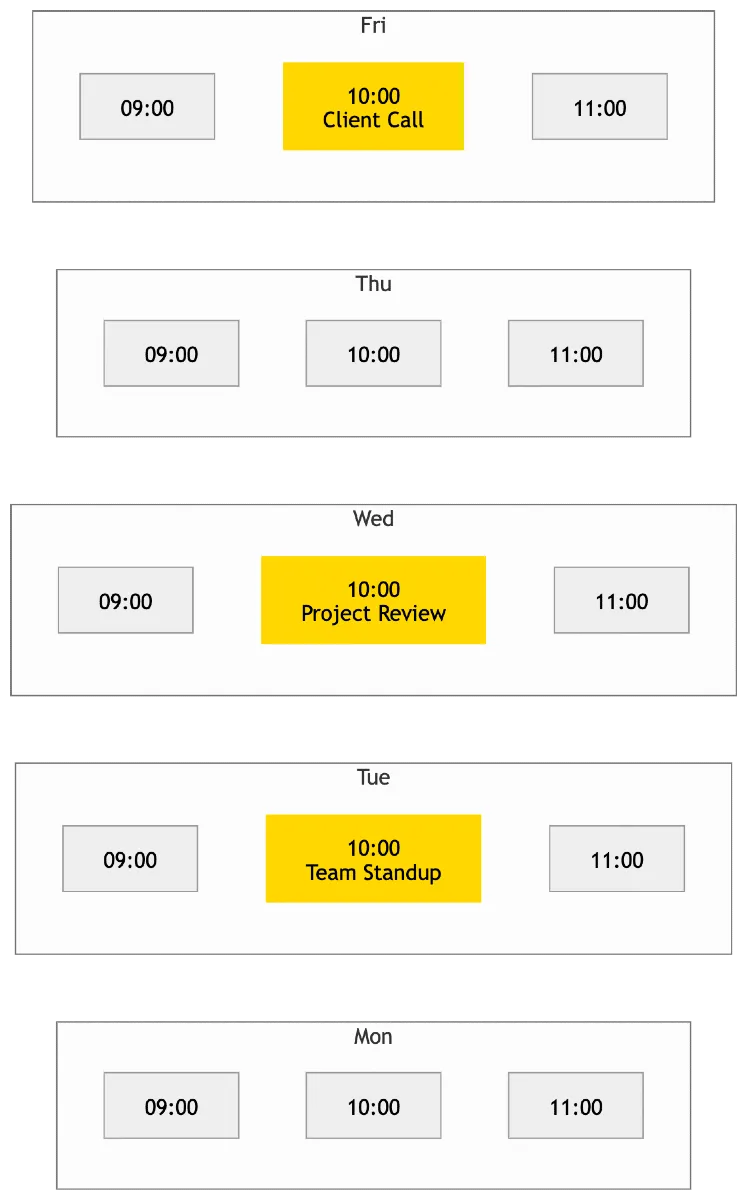
Views:
- Day view → vertical timeline
- Week view → multiple columns
- Month view → grid
Data Model
Each event typically has:
id
title
startTime
endTime
date
metadata (optional)
Important:
- Time should be normalized (ISO format)
State Management
You need to manage:
- events: list of all events
- currentView: day/week/month
- selectedDate
- draggingEvent
- resizingEvent
Event Positioning Logic
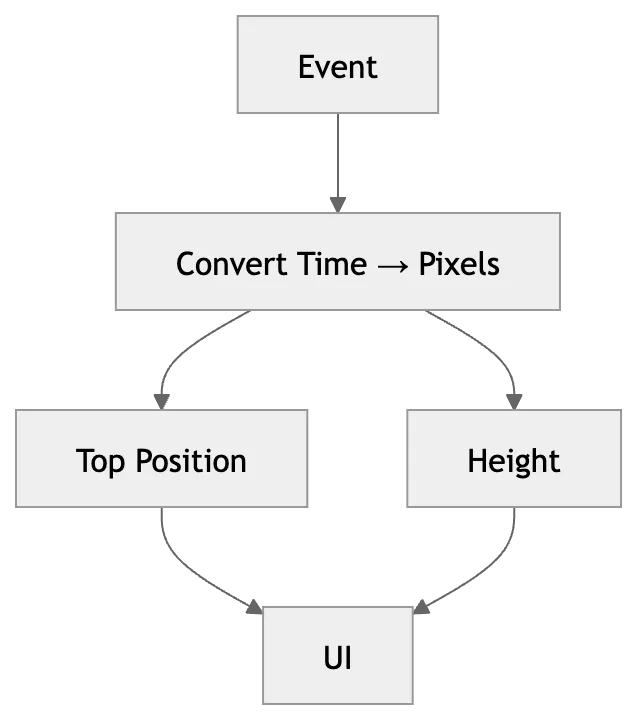
Core challenge:
- Convert time → UI position
Example:
- Top position = startTime → pixels
- Height = duration → pixels
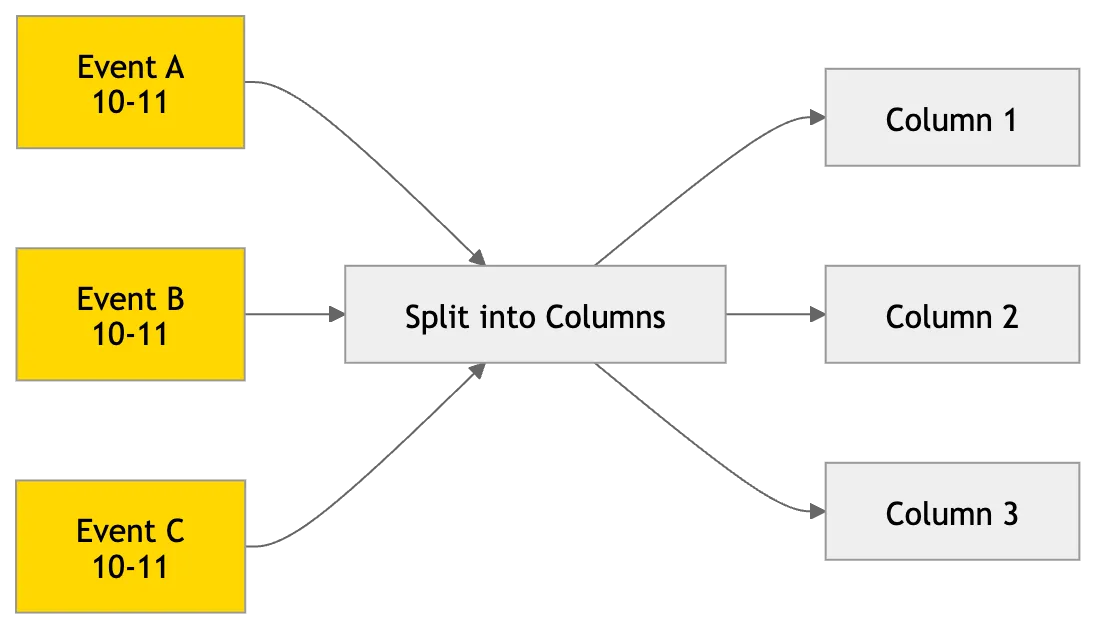
For overlapping events:
- Split width dynamically
- Place side by side
Overlapping Events Handling
Approach:
- Group events by time overlap
- Assign columns within group
Example:
- 3 overlapping events → divide width into 3
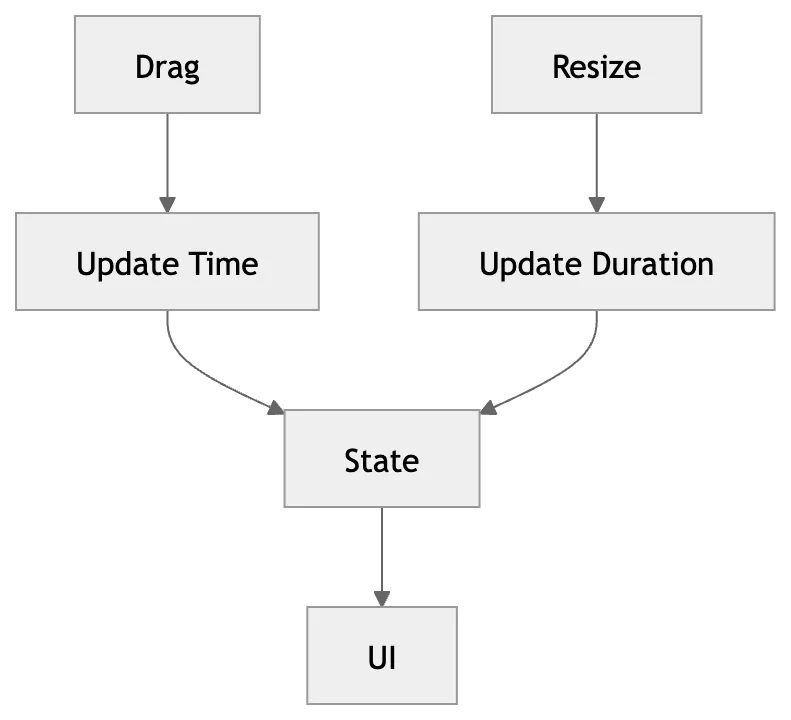
Interaction Handling
1. Create Event
- Click on slot → open modal
2. Drag Event
- Move event vertically → update time
3. Resize Event
- Adjust duration
4. Click Event
- Edit / delete
Time Mapping
Important conversion:
1 hour = fixed pixel height (e.g., 60px)
Calculate:
- top = startTime * pxPerHour
- height = duration * pxPerHour
Data Fetching
API example:
GET /events?start=...&end=...
Fetch based on visible range:
- Day → 1 day
- Week → 7 days
- Month → full month
Caching Strategy
- Cache events per date range
- Avoid refetching same range
Advanced:
- Prefetch next/previous range
Performance Optimization
- Virtualization: Only render visible hours
- Memoization: Prevent re-render of events
- Efficient calculations: Precompute positions
Scroll Behavior
- Auto scroll to current time
- Maintain scroll position
Edge Cases
- Overlapping events
- Events spanning multiple days
- Timezone differences
- DST changes
- Large number of events
Simple Flow
- Load current view (week/day)
- Fetch events
- Map events → positions
- Render grid
- Handle user interaction
- Update state
What Interviewer is Testing
- Handling complex UI
- Time-based calculations
- Interaction design
- Performance thinking
- Clean data modeling