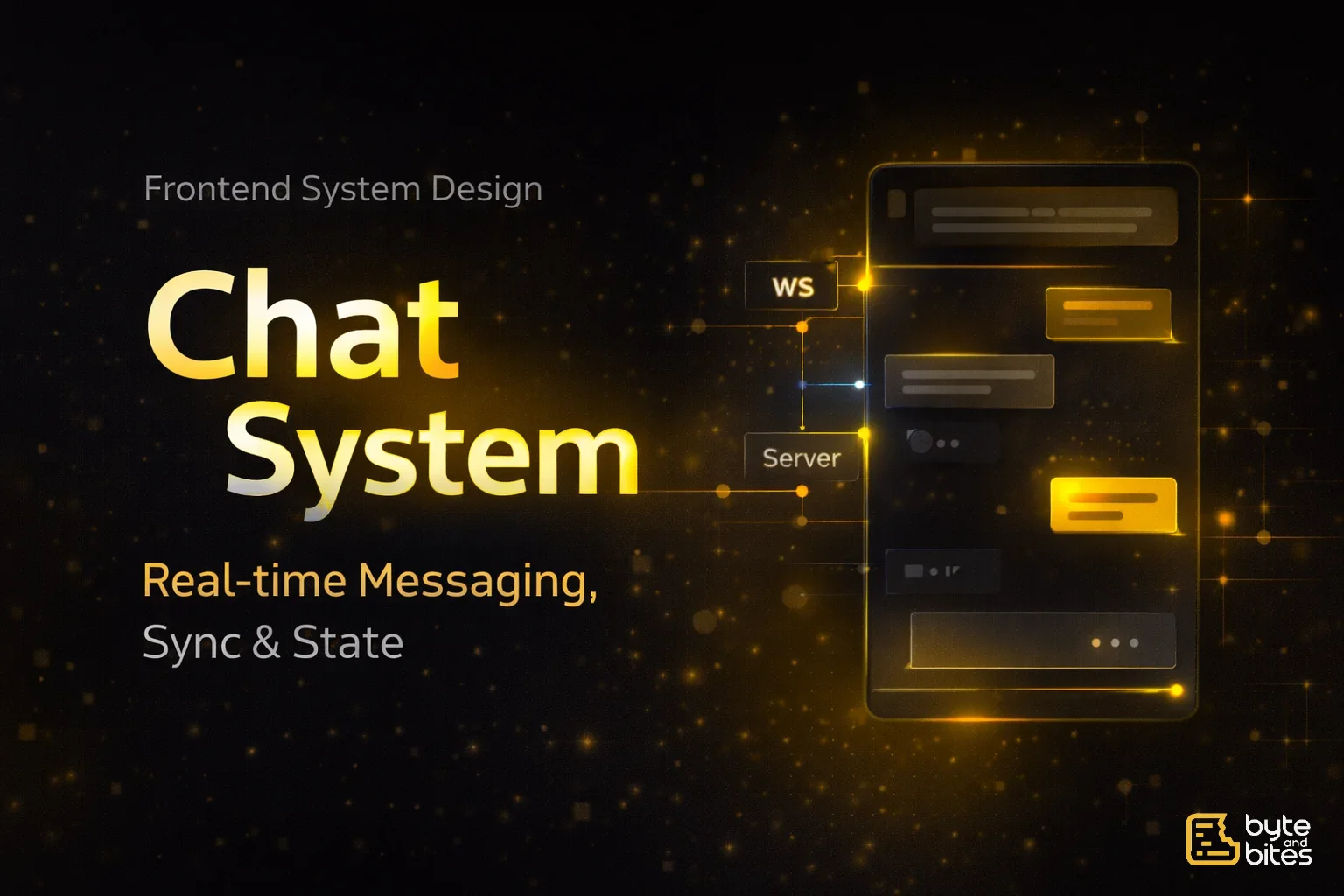
Design a chat interface similar to WhatsApp, Slack, or a support chat.
Core requirements:
- Send and receive messages in real time
- Display messages in correct order
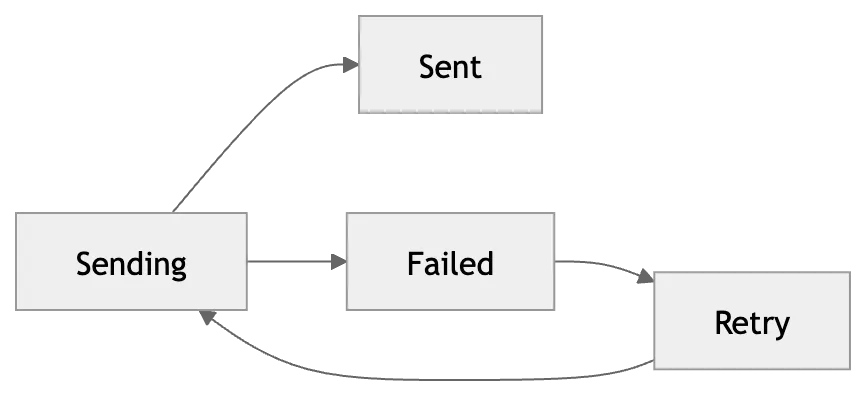
- Show message status (sending, sent, failed)
- Handle loading and reconnection
- Maintain smooth scrolling experience
Follow-ups:
- How do you handle real-time updates?
- What happens if messages arrive out of order?
- How do you handle offline users?
- How do you optimize rendering for large chats?
- How do you handle retries on failure?
How to Think About It (Framework)
- UI Layer
- Communication Layer
- State Management
- Message Lifecycle
- Caching / Persistence
- Performance
- Edge Cases
UI Layer
Main components:
- Chat list (messages)
- Input box
- Send button
- Status indicators
Behavior:
- Messages aligned left/right (incoming/outgoing)
- Auto-scroll to latest message
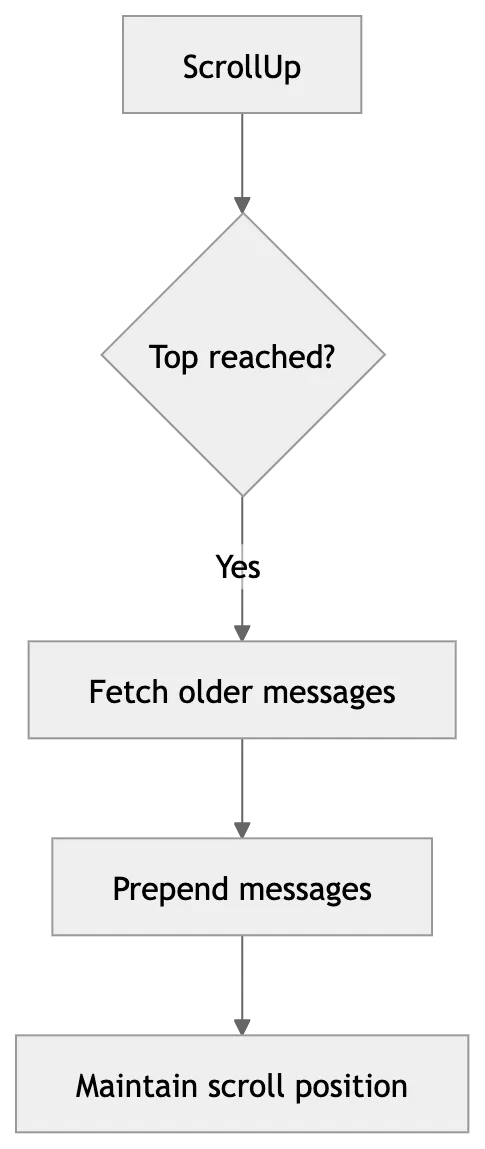
- Preserve scroll when loading older messages
Communication Layer
Two approaches:
1. Polling (basic)
- Client requests new messages periodically
- Not efficient
2. WebSockets (preferred)
- Persistent connection
- Server pushes messages in real time
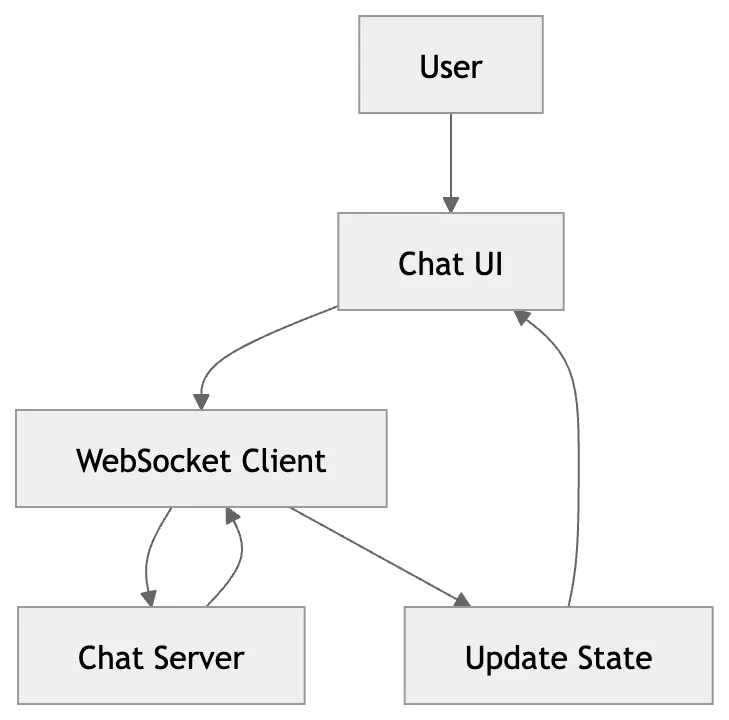
Flow:
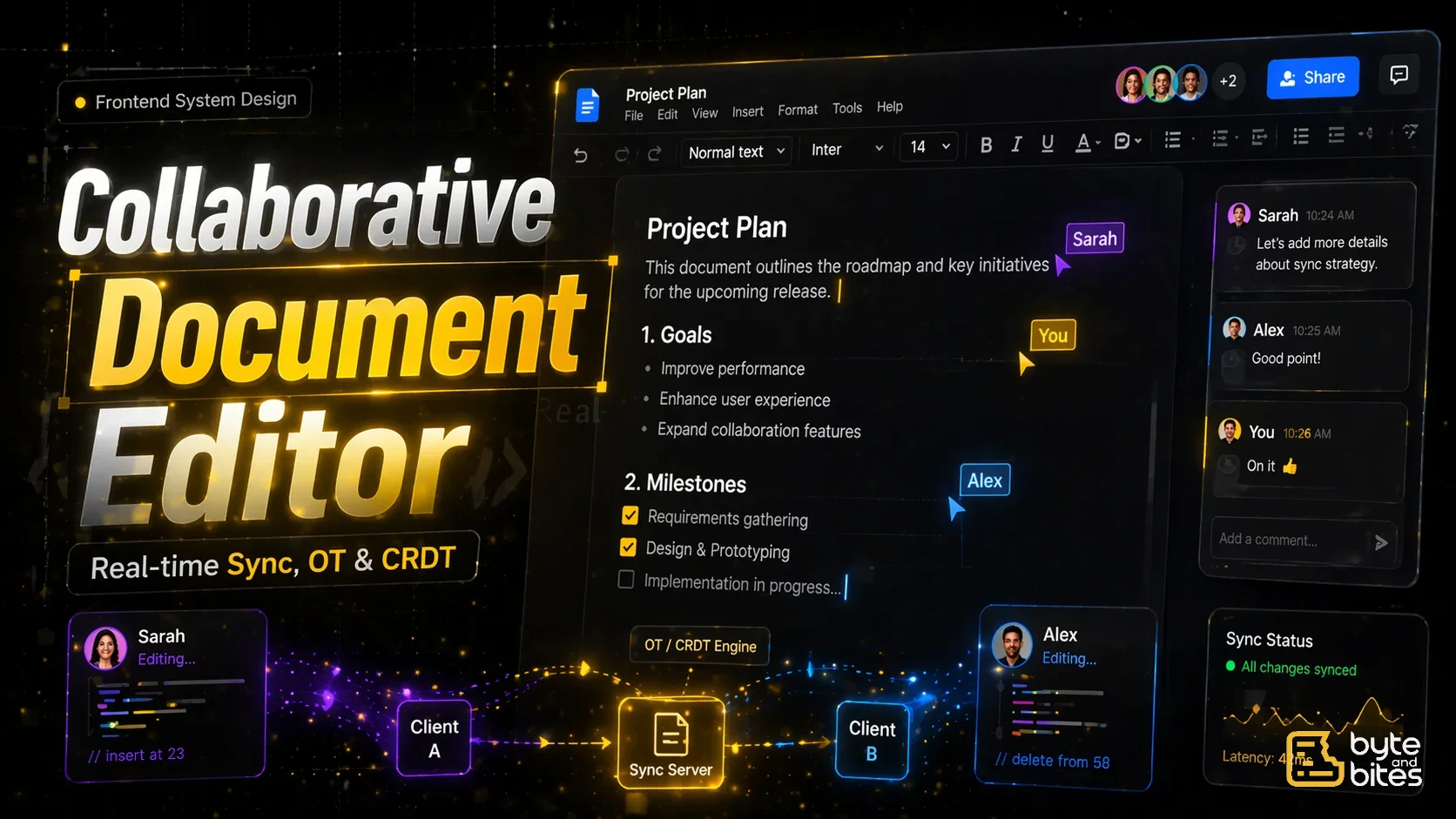
- Client connects via WebSocket
- Server emits new messages
- Client updates UI instantly
State Management
We need to manage:
- messages: array of chat messages
- sendingQueue: messages not yet confirmed
- connectionStatus: connected / disconnected
- loading: for older messages
- error: failed messages
Important:
- Separate server messages vs local temporary messages
Message Data Structure
Each message typically has:
id
text
senderId
timestamp
status (sending, sent, failed)
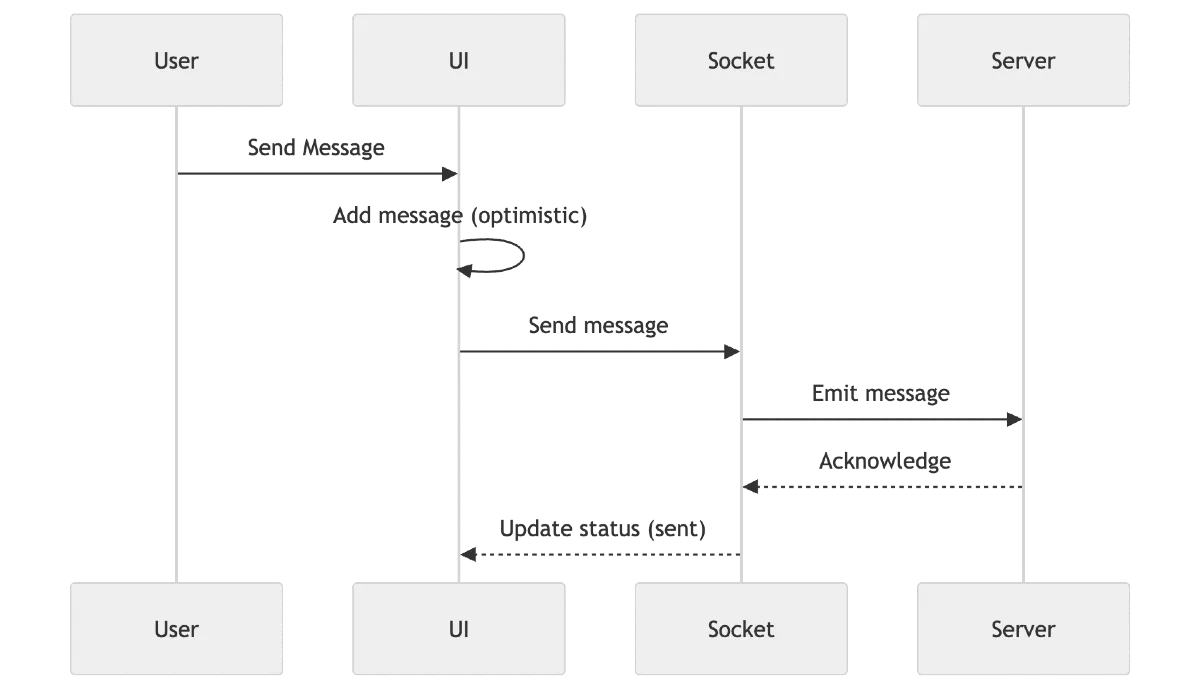
Message Lifecycle
- User sends message
- Message added locally (optimistic update)
- UI shows "sending"
- Server acknowledges
- Update status → "sent"
In case of failure:
- Show retry option
Optimistic UI
Key concept:
- Show message immediately without waiting for server
- Improves perceived performance
But:
- Must handle failure cases
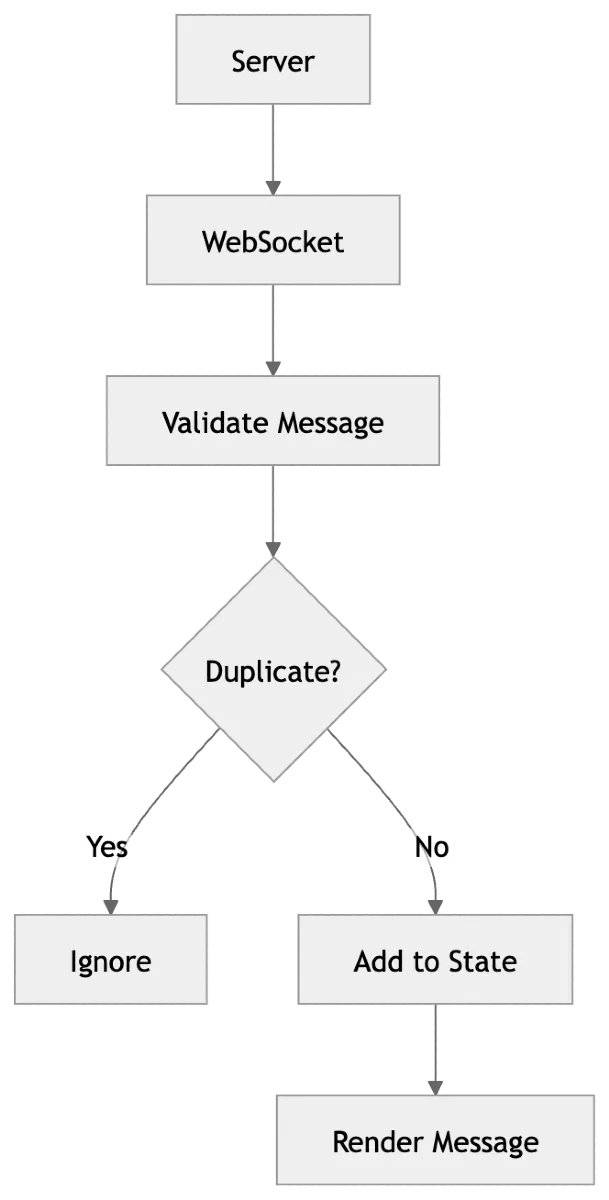
Ordering & Consistency
Challenges:
- Messages arriving out of order
- Duplicate messages
Solutions:
- Use timestamps or server sequence IDs
- Deduplicate using message IDs
- Always sort messages before rendering
Caching / Persistence
Basic:
- Keep messages in memory
Advanced:
- Store messages in localStorage / IndexedDB
- Load previous messages on reload
Benefits:
- Faster load
- Offline support
Performance Optimization
- Virtualized List: Render only visible messages
- Pagination: Load older messages on scroll up
- Batching Updates: Avoid frequent re-renders
- Memoization: Optimize message components
Scroll Behavior
Key requirements:
- Auto-scroll when new message arrives
- Do NOT auto-scroll if user is reading old messages
- Load older messages when scrolling up
Error Handling
- Failed message send
- Connection loss
- Retry mechanism
Error UI:
- Retry button
- Error indicator
Simple Flow
- User sends message
- Add message locally (optimistic)
- Send via WebSocket
- Server responds
- Update message status
- New messages pushed from server
- UI updates
What Interviewer is Testing
- Understanding of real-time systems
- Handling async flows
- Optimistic UI design
- State consistency
- Performance awareness