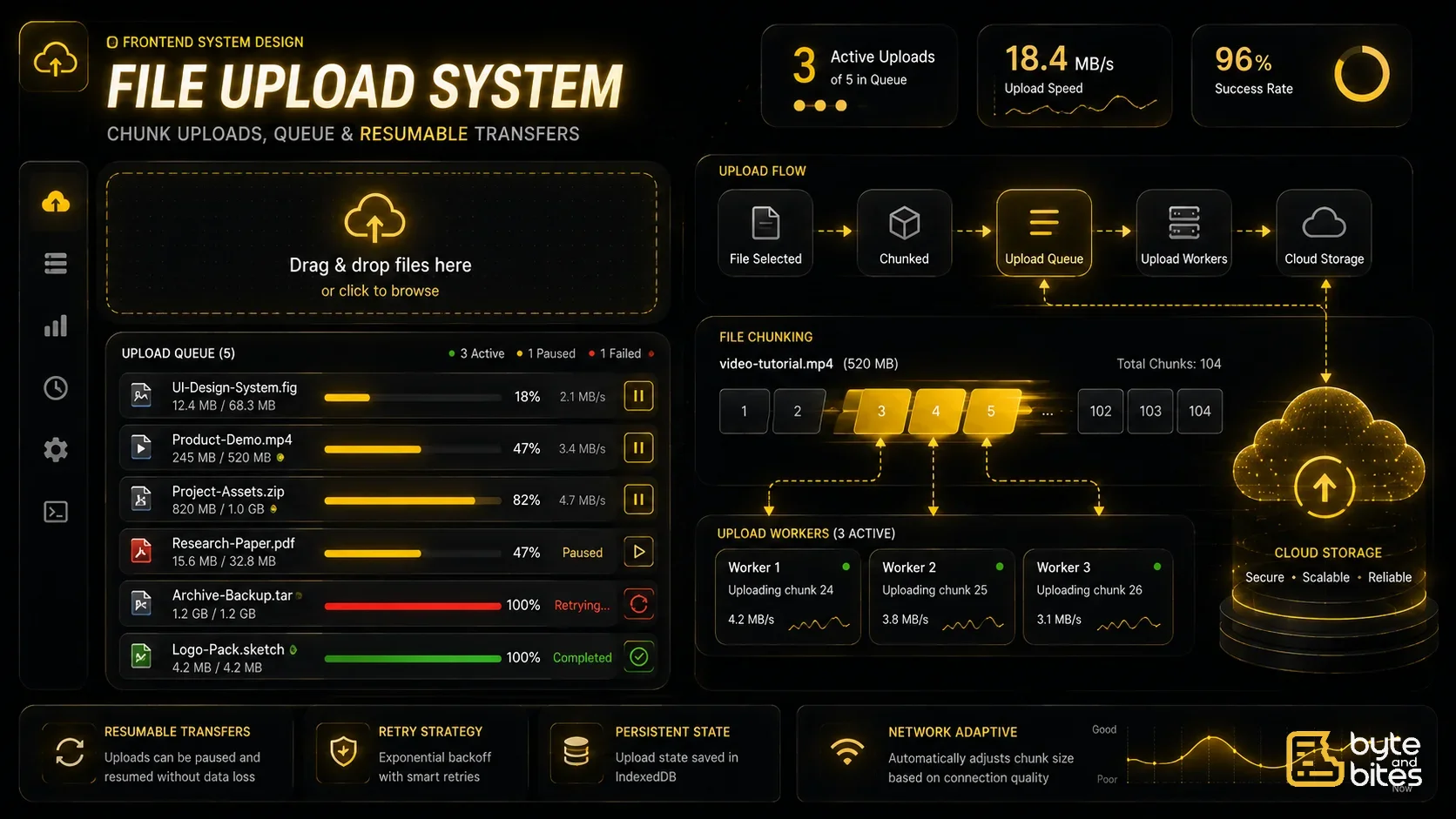
Design a file upload system similar to Google Drive or Dropbox.
Core Requirements:
- Upload single and multiple files
- Support drag & drop
- Display upload progress
- Retry failed uploads
- Pause & resume uploads
- Cancel uploads
- Handle very large files
- Persist upload state
- Support concurrent uploads
Follow-up Questions
- How do you upload a 10GB file?
- How do you resume an interrupted upload?
- How many uploads should run simultaneously?
- How do you retry failed uploads?
- How do you avoid duplicate uploads?
- How do you prevent memory issues?
- How do you upload on slow networks?
- What happens when the browser refreshes?
How to Think About It (Framework)
- UI Layer
- File Selection
- Upload Queue
- Chunk Uploading
- Progress Tracking
- Retry Strategy
- Persistence
- Performance
- Edge Cases
UI Layer
Main components:
- Upload button
- Drag & Drop area
- Upload queue
- Progress bar
- Retry button
- Pause / Resume
- Cancel button
Each file should independently display:
- File name
- Size
- Upload progress
- Upload speed
- Remaining time
- Current status
File Selection
Browser APIs:
<input type="file">
- Drag & Drop API
- File API
Each selected file becomes an upload task.
Data Model
Each upload item:
{
    id,
    file,
    name,
    size,
    uploadedBytes,
    progress,
    status,
    chunkIndex,
    totalChunks
}
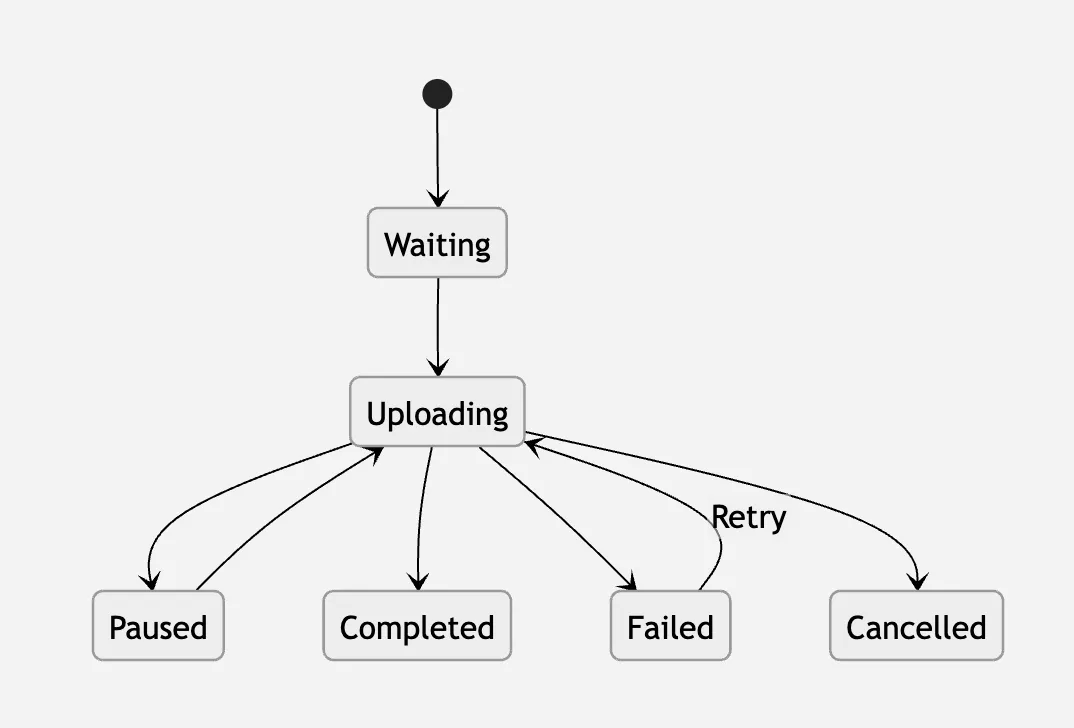
Status:
- Waiting
- Uploading
- Paused
- Completed
- Failed
- Cancelled
Upload Queue
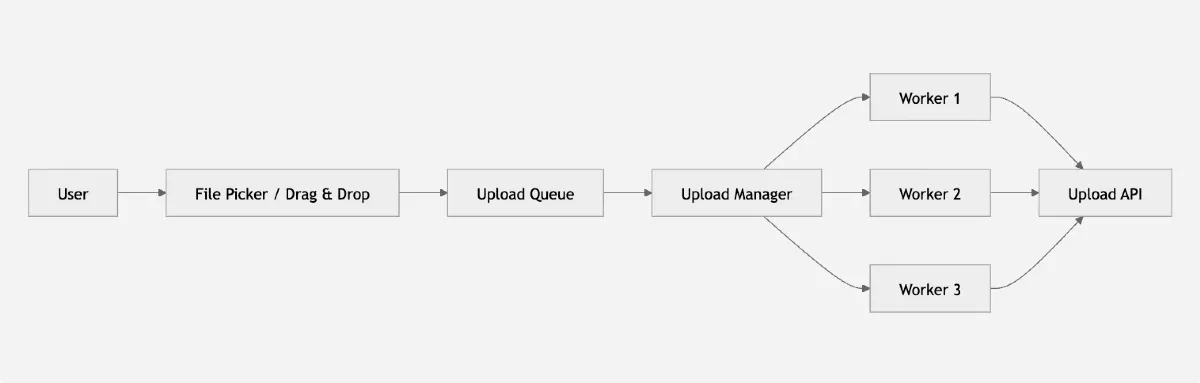
Instead of uploading immediately:
User selects files
↓
Files added to Queue
↓
Upload Manager
↓
Concurrent Workers
↓
Server
Benefits:
- Easier retry
- Better control
- Pause support
- Concurrency management
Chunk Uploading
Instead of
10 GB
↓
Single Request
Split into chunks
Example:
Chunk 1
Chunk 2
Chunk 3
...
Chunk 400
Typical chunk size:
- 5 MB
- 10 MB
- 20 MB
Advantages:
- Resume upload
- Retry only failed chunk
- Better reliability

Upload Flow
- Select file
- Split into chunks
- Upload chunks
- Server stores chunks
- Merge chunks
- Upload complete
Concurrent Uploads
Avoid uploading everything together.
Example:
Queue:
File A
File B
File C
File D
File E
Run only
3 uploads simultaneously
Remaining stay in queue.
Benefits:
- Better bandwidth utilization
- Lower browser memory
- Prevent request flooding
Progress Tracking
Each chunk reports
Uploaded bytes
↓
Overall progress
Progress = Uploaded Bytes / Total Size
Show
- %
- Speed
- ETA
Pause & Resume
Pause
- Abort current request
- Save uploaded chunk index
Resume
- Continue from next chunk
No need to restart.
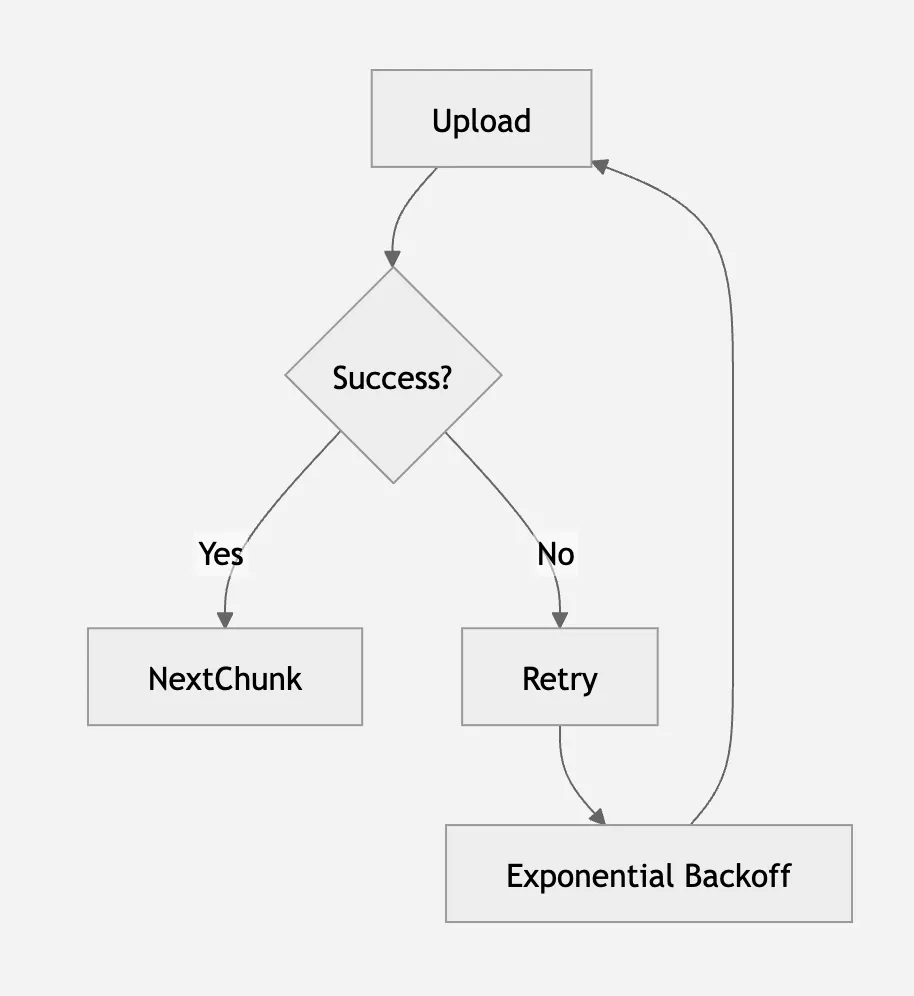
Retry Strategy
Retry only failed chunk.
Example
Chunk 17 failed
Retry:
Only 17
Not 1 → 400
Use exponential backoff.
Example:
1 sec
→
2 sec
→
4 sec
→
8 sec
Cancel Upload
Use
- AbortController
Abort request
→
Remove from queue
→
Delete temporary state
Persistence
If page refreshes:
Save
- upload id
- uploaded chunks
- file metadata
Using
- IndexedDB
Resume later.
API Design
Initialize upload
POST /upload/init
Upload chunk
POST /upload/chunk
Complete upload
POST /upload/complete
Cancel upload
DELETE /upload/:id
State Management
Store
uploads
activeUploads
queue
completed
failed
networkStatus
Performance Optimization
Limit concurrent uploads
- Usually
- 3–5
Stream large files
- Avoid reading entire file into memory.
Use Web Workers
- Hash large files
- Compression
- Encryption
- Without blocking UI.
Throttle progress updates
- Don't update React every few milliseconds.
- Update every
- 100–200 ms
Use requestIdleCallback
- For non-critical work.
Edge Cases
- Network disconnect
- Duplicate file
- Browser refresh
- Tab closed
- Storage full
- Large file
- Upload timeout
- Server restart
What Interviewer is Testing
- Async programming
- Queue management
- Browser APIs
- Networking
- State machines
- Error recovery
- Performance optimization