
You are asked to design an infinite scrolling list similar to a social media feed or product listing page.
Requirements typically include:
- Load initial set of items on page load
- Fetch more data as user scrolls near the bottom
- Avoid duplicate or unnecessary API calls
- Maintain smooth scrolling experience
- Handle loading states and errors
- Ensure performance with large datasets
Follow-up expectations:
- How do you prevent too many API calls?
- How do you cache previously fetched data?
- What happens when user scrolls very fast?
- How do you handle refresh or back navigation?
- How do you optimize rendering for large lists?
How to Think About It (Framework)
A simple way to structure your answer is:
- UI Layer
- Data Fetching Layer
- State Management
- Caching Strategy
- Performance Optimization
- Edge Cases
UI Layer
The UI consists of:
- A list container (feed)
- Individual item components
- A loader indicator at the bottom
Key behaviors:
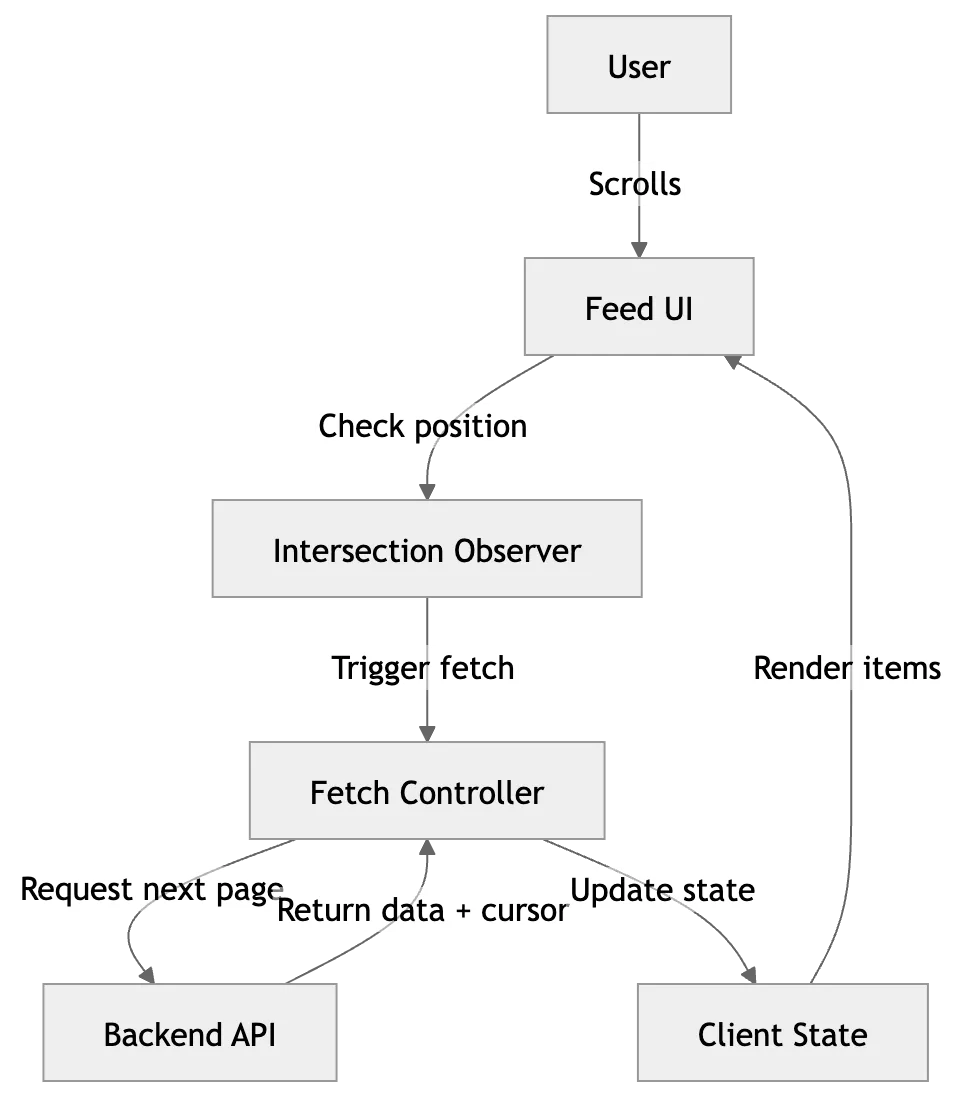
- Detect when user is near the bottom
- Trigger next fetch
- Show loading spinner while fetching
Common approaches:
- Scroll event listener
- Intersection Observer (preferred for performance)
Data Fetching Layer
API design usually follows pagination:
Two common patterns:
1. Offset-based
Example: /api/items?page=2&limit=10
2. Cursor-based (preferred at scale)
Example: /api/items?cursor=abc123
Cursor-based is better because:
- Avoids duplication issues
- Works well with dynamic data (insertions/deletions)
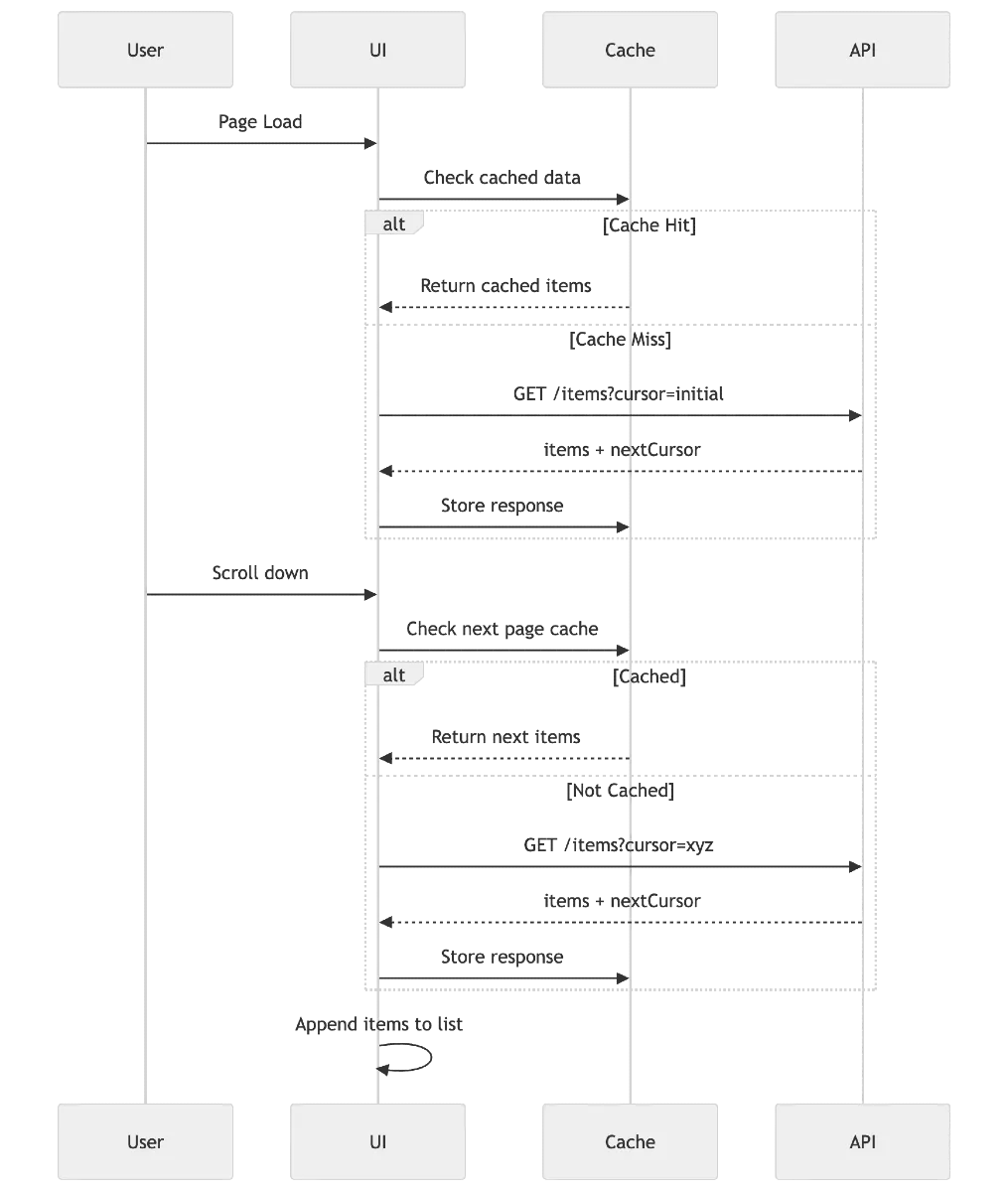
State Management
We need to manage:
- items: list of all fetched data
- loading: whether a request is in progress
- error: if request failed
- hasMore: whether more data is available
- cursor/page: pointer for next fetch
Important:
Prevent multiple parallel calls
Lock fetch when loading is true
Caching Strategy
Caching is where most candidates stand out.
Basic caching:
Keep all fetched items in memory (state)
Advanced considerations:
Avoid refetching already loaded pages
Cache based on query params (filters, search)
Techniques:
In-memory cache (React state, Redux)
Libraries like React Query or SWR (stale-while-revalidate)
Key ideas:
Deduplicate requests
Serve cached data instantly
Revalidate in background
Performance Optimization
Infinite scroll can easily break performance if not handled well.
Key optimizations:
- List Virtualization
- Render only visible items
- Use libraries like react-window
- Debouncing / Throttling
- Prevent excessive scroll triggers
- Avoid Re-renders
- Memoize item components
- Use stable keys
- Batch Updates
- Append items efficiently
Scroll Detection
Two main approaches:
1. Scroll Events
- Listen to window scroll
- Calculate position manually
Problems:
- Frequent triggers
- Performance overhead
- Place a sentinel element at bottom
- Trigger fetch when it becomes visible
Benefits:
- More efficient
- Cleaner logic
Handling Edge Cases
You should explicitly talk about these in interviews:
- Fast scrolling → multiple triggers
- Duplicate API calls
- Empty response (end of list)
- Network failures
- Refreshing page → should we persist data?
- Changing filters → reset list
- Back navigation → restore scroll position
User Experience Considerations
- Show skeleton loaders instead of spinners
- Preserve scroll position
- Smooth loading (no layout shifts)
- Avoid sudden jumps
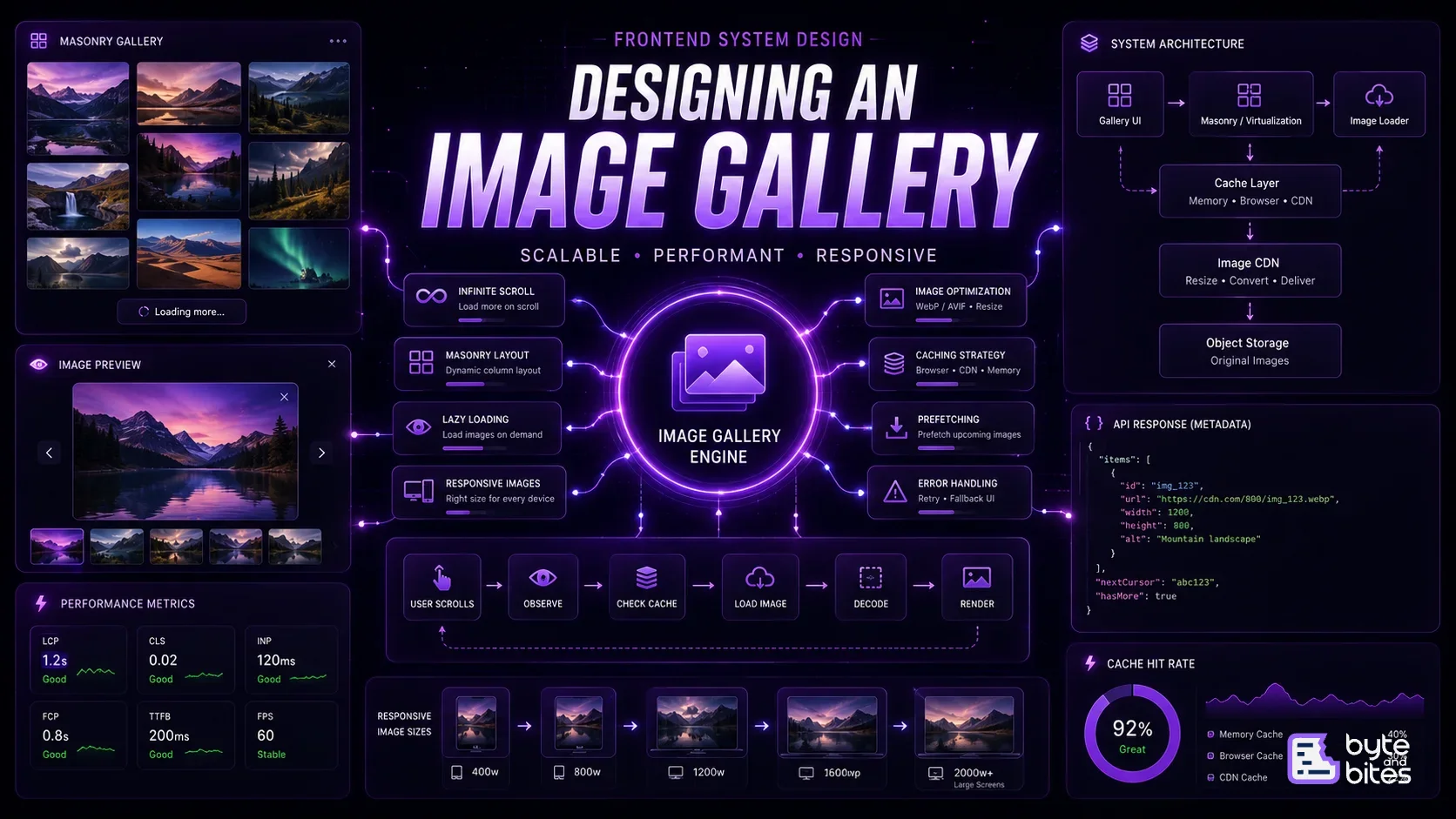
Simple Flow
Page loads → fetch first batch
↓
Render items
↓
User scrolls
↓
Bottom sentinel becomes visible
↓
Trigger next fetch
↓
Append data
↓
Repeat until hasMore is false
What Interviewer is Testing
- Ability to break problem into layers
- Understanding of pagination strategies
- Awareness of performance issues
- Knowledge of browser APIs (Intersection Observer)
- Practical thinking (not just theory)