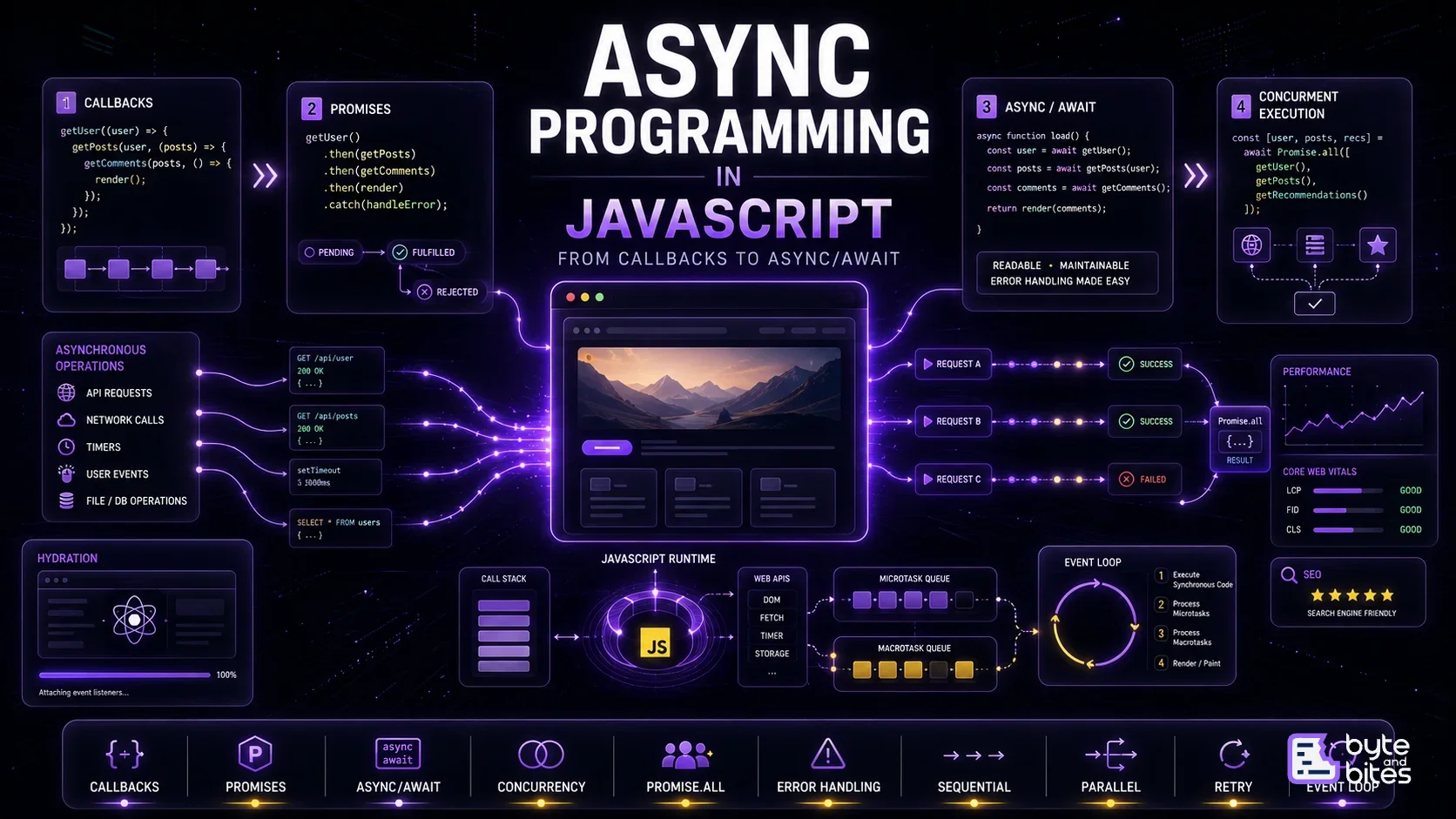
JavaScript is single-threaded.
Yet our application can fetch APIs, handle clicks, run timers, upload files, and update the UI seemingly at the same time.
How?
The answer is asynchronous programming.
JavaScript doesn't execute everything simultaneously. Instead, it starts an operation, lets the runtime handle the waiting, and continues executing other work. When the operation finishes, its result is scheduled for JavaScript to process.
Over time, JavaScript evolved from callbacks to Promises and finally async/await, making asynchronous code much easier to write and reason about.
Synchronous vs Asynchronous
Synchronous code runs one operation after another:
const user = getUser();
const posts = getPosts(user);
console.log(posts);
If getUser() takes three seconds, everything after it waits.
Asynchronous programming allows the application to continue while an external operation is in progress.

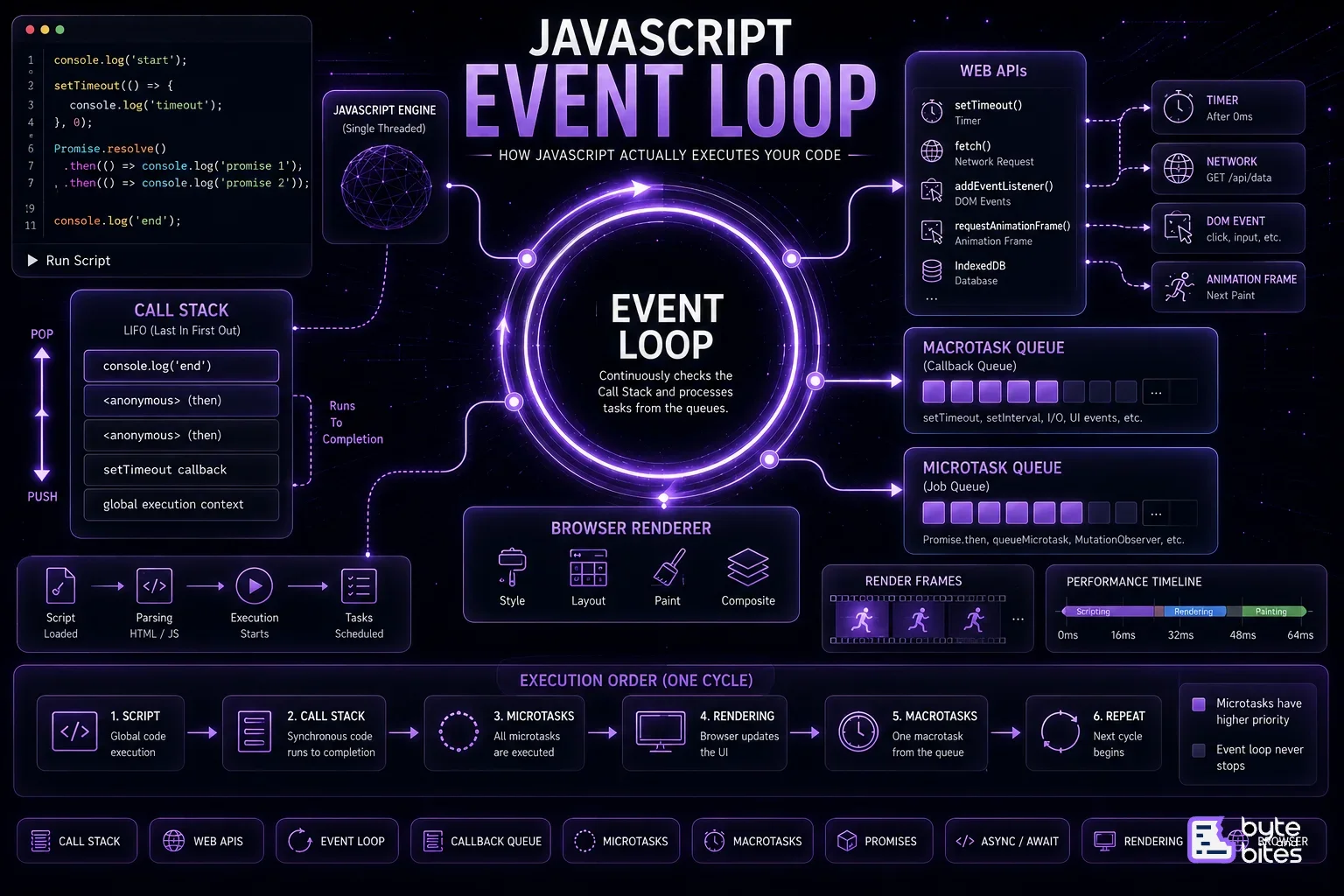
This is closely connected to the JavaScript Event Loop.
1. Callbacks
Callbacks were one of the original ways JavaScript handled asynchronous operations.
fetchUser((user) => {
console.log(user);
});
The idea is simple:
Start the operation and call this function when it finishes.
The problem appears when operations depend on one another.
fetchUser((user) => {
fetchPosts(user, (posts) => {
fetchComments(posts, (comments) => {
render(comments);
});
});
});
This is commonly called callback hell.
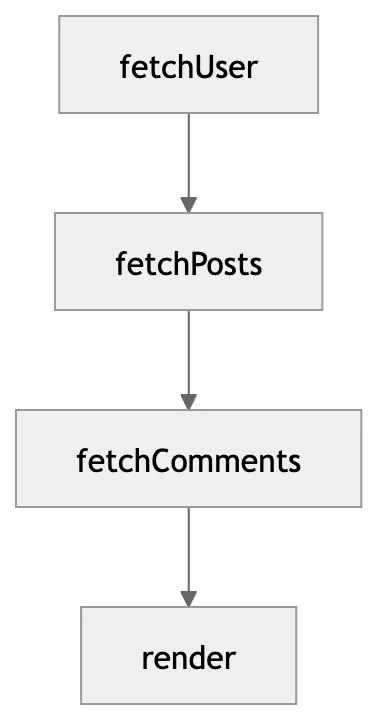
Callbacks work, but deeply nested workflows become difficult to read, compose, and handle errors in.
2. Promises
Promises introduced a cleaner abstraction.
A Promise represents the eventual result of an asynchronous operation.
fetchUser()
.then(user => fetchPosts(user))
.then(posts => console.log(posts))
.catch(error => console.error(error));
A Promise has three conceptual states:
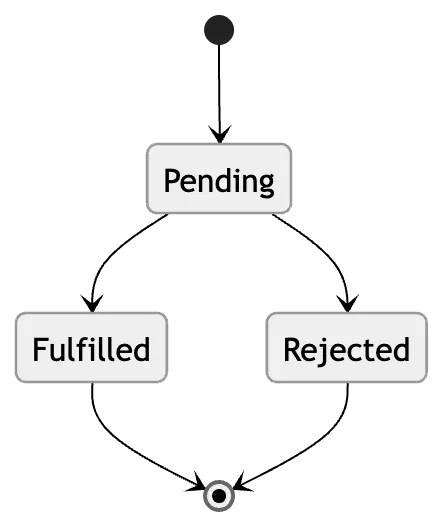
Promises also allow operations to be chained without deeply nesting callbacks.
fetchUser()
↓
fetchPosts()
↓
render()
3. Async/Await
Promises solved the composition problem, but long chains could still become difficult to read.
Then came async/await.
async function loadData() {
const user = await getUser();
const posts = await getPosts(user);
return { user, posts };
}
It looks synchronous, but it is still Promise-based.
One important rule:
An async function always returns a Promise.
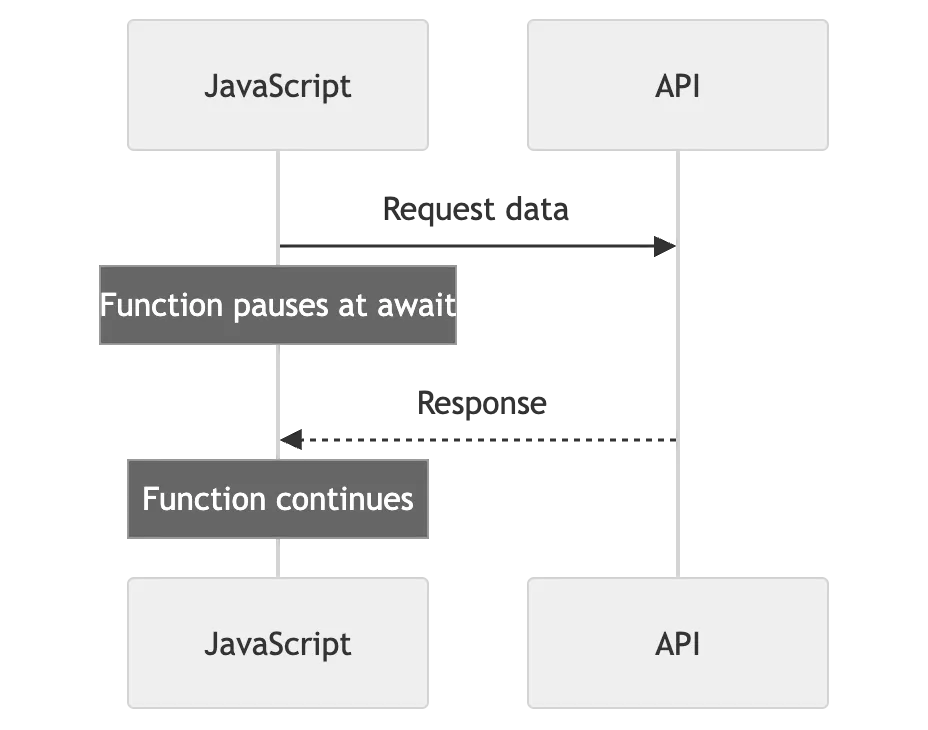
And await pauses the current async function. It does not freeze the entire JavaScript runtime.
Sequential vs Concurrent Execution
This is where async programming becomes really interesting.
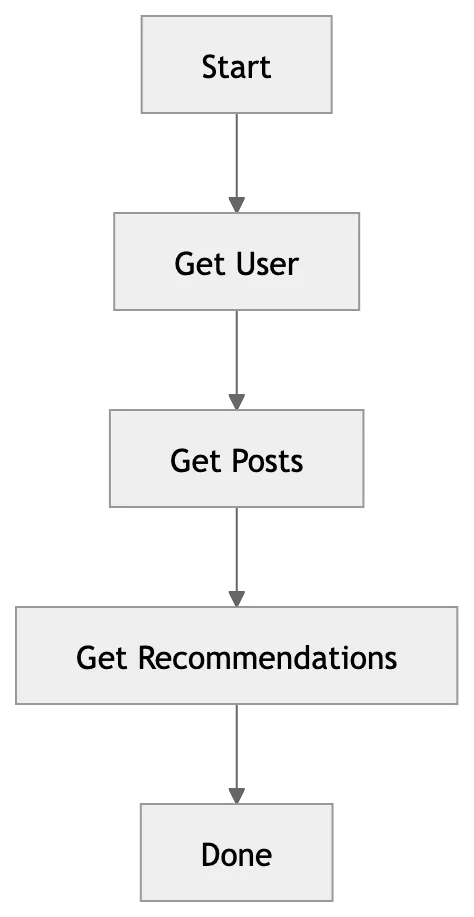
Suppose these three requests are independent:
const user = await getUser();
const posts = await getPosts();
const recommendations = await getRecommendations();
They run sequentially.
User             █████
Posts                 █████
Recommendations            █████
If each takes roughly one second, the total could be around three seconds.
But if they don't depend on each other:
const [user, posts, recommendations] = await Promise.all([
getUser(),
getPosts(),
getRecommendations()
]);
They can progress concurrently.
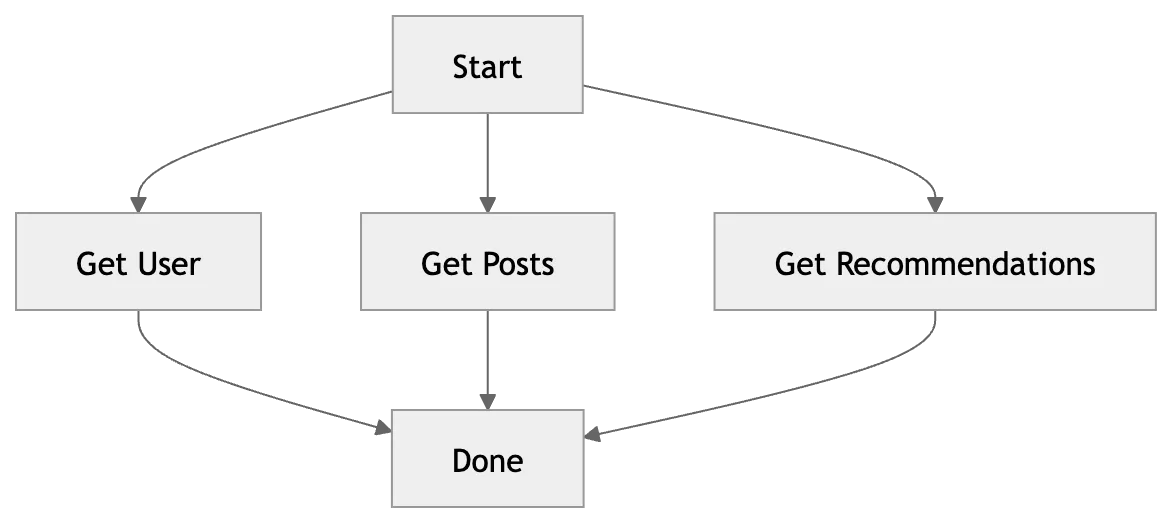
Conceptually:
User             █████
Posts            █████
Recommendations  █████
Total ≈ 1 second
This is one of the most important async programming optimizations.
Promise.all vs Promise.allSettled
Use Promise.all() when all operations are required.
const [user, posts] = await Promise.all([
getUser(),
getPosts()
]);
If one rejects, the combined Promise rejects.
Use Promise.allSettled() when you want every operation to finish, even if some fail.
const results = await Promise.allSettled([
getUser(),
getPosts(),
getRecommendations()
]);
This is useful when partial success is acceptable.
For example, if recommendations fail, you may still want to display the user's profile.
Promise.all

A ─────── Success ──┐
B ─────── FAILED ───┼──→ FAILED
C ─────── Success ──┘

Promise.allSettled

A ─────── Success ──┐
B ─────── FAILED ───┼──→ ALL RESULTS
C ─────── Success ──┘
Error Handling
Async operations fail for many reasons: network problems, timeouts, server errors, or invalid input.
With async/await, try/catch provides a clean error boundary.
try {
const user = await getUser();
const posts = await getPosts(user);
render(user, posts);
} catch (error) {
showError(error);
}
But not every failure needs to fail the entire operation.
Profile         →   Success
Posts           →   Success
Recommendations →   Failed
             ↓
       Show partial UI
Good async programming considers partial failure, not just success and failure.
Race Conditions
Asynchronous operations can finish in a different order than they started.
This is common in search autocomplete.
User types:
"c" → Request A
"ca" → Request B
"cat" → Request C
The responses might arrive as:
A
→
C
→
B
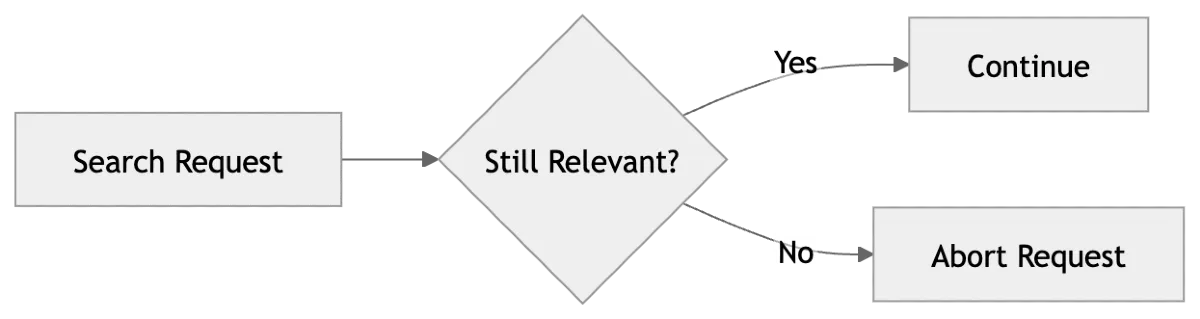
If the application blindly renders every response, an old request could overwrite newer results.
For requests that are no longer relevant, AbortController can help:
const controller = new AbortController();
fetch(url, {
signal: controller.signal
});
controller.abort();
Concurrency Is Not Parallelism
These terms are often confused.
Concurrency means managing multiple tasks whose execution periods overlap.
Parallelism means actually executing multiple tasks at the same time using multiple execution resources.
JavaScript's asynchronous model primarily gives us concurrency. CPU-heavy work can be moved to Web Workers or Node.js worker threads when actual parallel execution is needed.
The Async JavaScript Mental Model
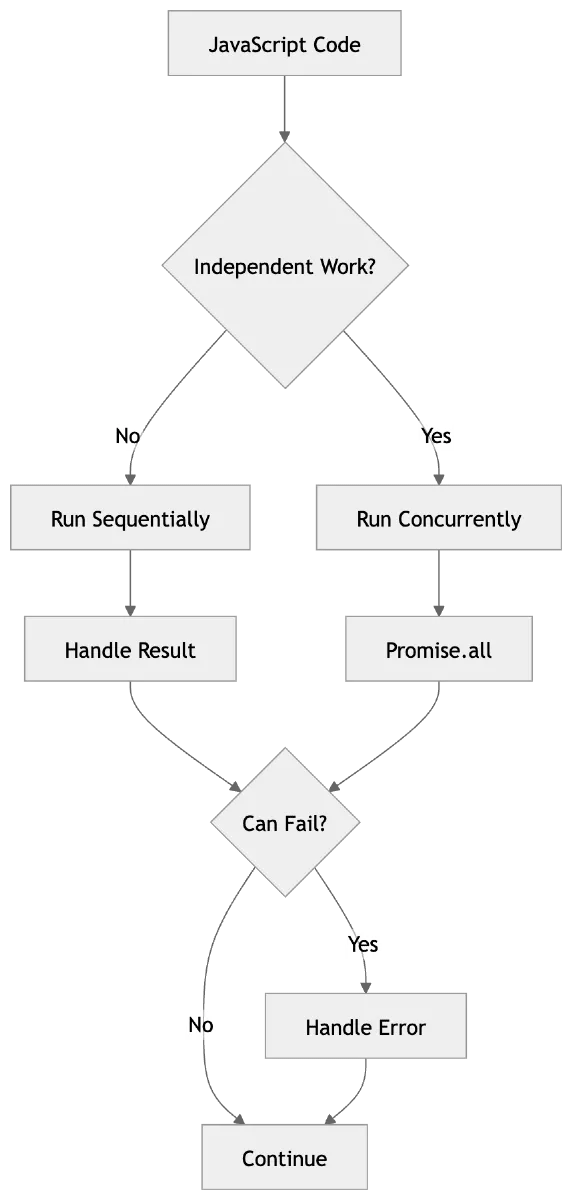
The goal isn't to make everything asynchronous.
It's to understand which work can happen independently and coordinate it efficiently.
Key Takeaways
- Callbacks were the original async pattern.
- Promises made asynchronous operations composable.
- async/await made Promise-based code easier to read.
- Independent operations should often run concurrently with Promise.all().
- Promise.allSettled() is useful when partial failure is acceptable.
- Async code needs proper error handling and cancellation.
- Concurrency is not the same as parallelism.
- The Event Loop connects asynchronous work back to JavaScript execution.